Secure Your Paper with Strong Client-Side Encryption
SecurePaper transforms your sensitive written information into encrypted SecurePaper codes, making your paper documents impossible to read without the proper key.
Try It: See the Problem
This is what most people do - and why it's dangerous
My Important Passwords
- Email:MySecurePass123!
- Bank PIN:4729
- WiFi Password:FamilyHome2024
- Safe Combo:15-23-08
- Card PIN:7851
DANGER: Anyone who finds this paper can access all your accounts!
SecurePaper Solution
My Important Passwords
- Email:
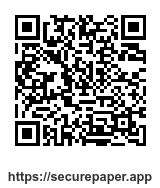
- Bank PIN:
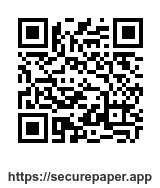
- WiFi Password:
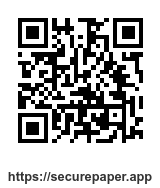
- Safe Combo:
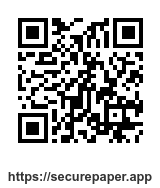
- Card PIN:
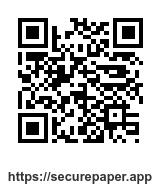
SECURE: Only you can decrypt these codes with your SecurePaper key!
SP:1/2|2|mF3kQ9xR2vB8pLtY7cNhKdWq4sJz…
This is what actually gets printed — as QR codes. The versioned ciphertext (2| + base64) is split into scannable chunks and is unreadable without your key.
Try it right now - no account, nothing leaves this page
Type anything below. It gets encrypted with AES-256-GCM in your browser and turned into a real, scannable SecurePaper code.
Ready to Protect Your Sensitive Information?
Real-Life Scenarios
See how SecurePaper solves everyday security challenges
The Insecure Password Notebook
Scenario: You write down your passwords and important account information on paper notes, in a notebook, or on sticky notes around your desk. Anyone who finds these can access your accounts.
SecurePaper Solution: Instead of writing passwords in plain text, create encrypted SecurePaper codes. Your sensitive information is printed as meaningless codes that only you can decrypt with your key.
The Safe Combination Emergency
Scenario: Your elderly parent needs to access important documents from the family safe but can't remember the combination during an emergency.
SecurePaper Solution: You've stored the safe combination in a SecurePaper code that can even be stuck right on the safe door. Anyone can scan it with their phone, but it's completely useless without the decryption key.
The Forgotten PIN Code Crisis
Scenario: You're at an ATM or trying to unlock your phone after a stressful day, but you can't remember your PIN code. Multiple failed attempts could lock your account or device.
SecurePaper Solution: Your PIN codes are securely stored in encrypted SecurePaper codes. Simply scan the code you keep in your wallet or at home to instantly retrieve your PIN without lockouts.
Don't wait for the emergency
Start securing your important information today with SecurePaper
Secure Your Information NowWhy Choose SecurePaper?
Protect Written Information
Convert sensitive written notes into encrypted SecurePaper codes that can only be deciphered with your unique key.
Physical Document Security
Store passwords and sensitive info on paper without the risk of exposure. Only you can unlock the real content.
Simple Paper Backup
Create secure, printable backups of your sensitive information that remain safe even if found or stolen.
Your Keys, Your Choice
SecurePaper gives you complete control over how your encryption keys are stored
You're in control: Start with local storage and upgrade to cloud storage anytime by creating an account. Your existing keys can be synchronized with a single click.
How It Works
Enter Your Sensitive Information
Type in the content you'd normally write down insecurely—passwords, PINs, financial details, personal notes, or any confidential data.
Print your SecurePaper
Your information is transformed into an encrypted SecurePaper code that you can print and store physically, replacing vulnerable handwritten notes.
Retrieve When Needed
When you need to access your information, simply scan the printed SecurePaper code and enter your encryption key—much safer than plain text.
What Can You Secure?
Financial Records
Replace vulnerable handwritten bank details, account numbers, and PINs with encrypted SecurePaper codes that can be safely stored in a physical folder.
Password Notebook
Create a secure alternative to written password notebooks. Your printed SecurePaper codes are meaningless without the decryption key.
Confidential Documents
Keep paper copies of contracts, legal documents, and personal records in an encrypted format that protects your privacy.
Home Security Information
Safely document alarm codes, safe combinations, and spare key locations on paper without risking home security.
Ready to Secure Your Papers?
Replace vulnerable handwritten notes with encrypted SecurePaper codes — it's simple, secure, and paper-friendly.